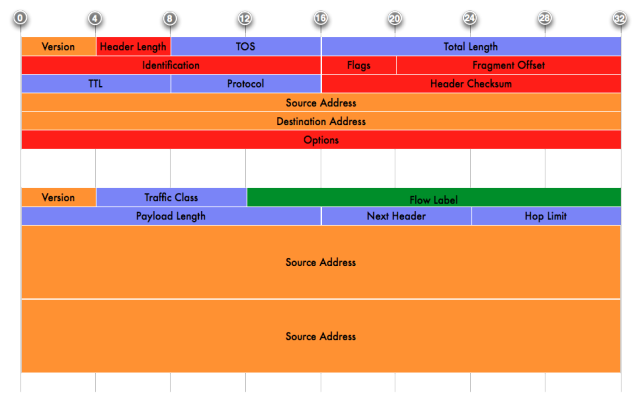
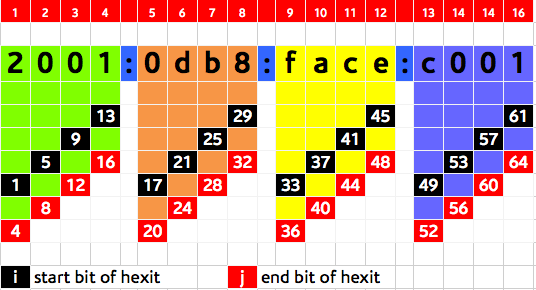
(aka ‘IPv6 for Managers for Network Engineers’)
“Genius!”, the CEO says as he enters your
office (ok more likely your cubicle or desk-space or whatever corner of
the office you prefer to go hide out in to concentrate), “I’ve been
hearing a lot lately in the news about an IP Apocalypse and this new
thing called IPv6. I also understand you recently attended an IPv6
training. I want you to make a presentation to executive management to
tell us why this is important to us what our approach as a company
should be.”
You think … “Isn’t this whole thing
obvious?”. Well, it may be to you, but not to the suits and non-geeks
out there who happen to be in the majority and sit on some critical
resources you may need. Anyway you have your assignment and more
importantly a chance to stand out of the ‘techie’ herd by proving that
you are smart at more than designing and building networks and services
(which they think is quite easy by the way!) but can connect the dots of
technology and to the big picture of why your company exists and makes
money.
The purpose of this blog post is to help
you think through, create and deliver such a presentation. This isn’t
about Powerpoint or Keynote (try not to abuse them) and I assume your
presentations skills are good. I would say that with proper preparation
(which I am going to guide you through) you should do this in less than
15 slides and take no more than 45 minutes, including questions and
answers. The objective is to convince your management to approve an IPv6
Deployment project in the company. Once you have approval for a
deployment, you can use the guidance at in this post to plan you deployment project in detail.
I recommend that you research and plan
your presentation around the following framework (if you’ve read my
previous posts, you know by now for me its all about frameworks and
processes):
- Set the strategic context: how your organisation derives value from IP networks and the Internet.
- Overview of the problem: IPv4 exhaustion.
- Implications of IPv4 Exhaustion to your organization’s business model.
- Introduction of IPv6 as a solution to IPv4 exhaustion.
- Understanding the risks involved.
- How much will deploying IPv6 will cost.
- Call to action.
[a] Set the strategic context: How your organisation derives value from IP networks and the Internet
For your plan to have any chance of
getting the attention of executive management, it must tie into the
overall strategy of your organisation. The majority of organisations
have some kind of strategic plan (which in the worse case is an
incomplete pile of unclear stuff cobbled together during an off-site
retreat by people alien to operational realities – but that’s another
point). That document likely guides how various projects and operations
get prioritised for time, money and skills within the organisation. It
also contains the vocabulary that will get the attention of your
executive management.
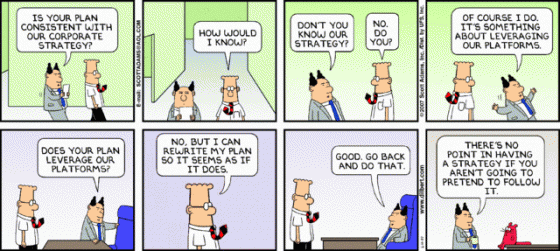
Great or sloppy, look for and use the company strategic plan!
Well, read that plan, re-read it and know
how to wield it to convince management. Ignore its flaws but look for
the core of the document i.e. – why was this document written? what
problems is it trying to solve? Somewhere in the document, you will find
something to which to hook the Internet and by extension IPv6 into the
value system and priorities of your organisation.
Sometimes, how your company generates
value from the Internet will be clear because the Internet is at the
core of what you do e.g. Internet Service Provider, network equipment
and software vendor. In other cases, the Internet plays a secondary
role, and it just supports your core business activity. The support
could range from the mission critical (think e-Commerce, online banking,
e-learning etc) to just normal support (research, communication etc)
Don’t forget to look at context from the
external perspective. Think of your competitors and clients – what are
they doing? or plan to do? and what technologies or innovations will
they be needing to achieve those goals? What will be the effect on your
brand standing if you are perceived in the market as the laggard when it
comes to new technology and innovation? What will it do for your
revenue if customers know for sure they are not going to be able to get
next-generation services from your organisation?
Still on the external environment, in
some countries, it is quite possible that government mandates and
regulations may compel you to take action, either in order to qualify
for government contracts or because regulation may indirectly require
that you have IPv6. This could come up for example if a regulator
defines ‘broadband’ in the national broadband strategy as Internet
service that must not be NATted or proxied. Notice that that requirement
does not explicitly mention IPv6 but there’s no other way I know of
beside IPv6 to meet the requirement. A similar requirement may be
imposed to combat cybercrime.
Knowing how your organisation generates
value from the Internet, be sure you can describe clearly what factor IP
networks and the Internet play in that strategy and now you have a
foundation for postulating what the impact to your organisations should
that factor grow or decline.
[b] Overview of the problem: IPv4 exhaustion
IPv4 is almost finished! That is always
the elephant in the room. Being effective in selling IPv6 upwards will
mean that you can frame this problem in terms of the implications for
your organisation’s business model. Bottom line is this: a day is coming
(and it isn’t in the far far far StarTrek-y future) when you will not
have the IP addresses required to connect more staff, branch offices, or
make new services available. When that dark day comes, will your
organisation be ready? (will it have IPv6 tested and ready to roll) or
will it be caught with its pants down? (no IPv6 experience or plans and
having to resort to big bang implementations with its associated big
risks and expenses.)
[c] Implications of IPv4 exhaustion to your business model
To frame the implications of exhaustion
to your business, you must first understand the business model of your
organization. In other words, how does you organisation create value and
get revenue from it? As already stated in above under ‘understanding
the context’, the main ways that organisations derive value from the
Internet are as follows:
- Some aspect of the Internet is at the core of your business model
e.g. network equipment vendor, ISP, next generation telecommunications
provider.
- The Internet is a platform on which your
organisation conducts business e.g. content provider, e-commerce,
e-government, e-banking or online content provider.
With this in mind, some of the implications of exhaustion are as follows:
-
Loss of future revenue when exhaustion limits the growth of the Internet.
(I must note here that exhaustion is also an opportunity for some
vendors. They’ll be able to sell you short-term solutions that manage
the problem in the short term and gets increasingly more expensive the
longer you depend on it). Without more addresses, you will no longer be
able to connect more customers nor increase value to existing customers
who now have access to higher amounts of and cheaper bandwidth. Even if
you are a content provider who will traditionally only need a few
addresses for yourself, think of the number of users who have already
moved to IPv6 in regions of the world where they don’t have a choice
(Asia Pacific) who will be unable to interact with your services and
content because those services are only being offered over IPv4.
-
Revenue retention is no longer guaranteed.
A few years down the line when you can no longer grow your client base
or serve existing customer with more sophisticated needs, they will
switch to any of your competitors who meets their needs.
-
Without
IPv6 operational experience, you might be forced to depend on the
kludge that is Network Address and Port Translation (NAPT) and also bring in external consultants to do a big bang (big buck, big risk) implementation late in the game.
-
Loss of ability to innovate and lead services that will benefit from more addresses and an end to end Internet.
This will also cause your organization to fall behind as an innovation
and thought leader. A hint here – ‘end-to-end model’ in itself is
totally meaningless to most of the executives unless you explain how
that enhances the business’s ability for even existing customers to get
more out of their current broadband connections (assuming of course we
are talking about an ISP.)
[d] Introduction of IPv6 as a solution to IPv4 exhaustion (and why we should care about it)
Having explained the problem (IPv4
address exhaustion) and its implications globally (lid on the continued
growth of the Internet) and specifically to your organization (how
inability to continue to grow affects your business model), I hope by
now your executives are sitting on the edges of the seat, scared for the
future. And this is the right time to be a hero and save the day. You
now present them with possible solutions viz – Network Address and Port
Translation (NAPT) and IPv6. But of course as a network engineer, you
know full well that one of those is a pseudo-solution and only IPv6 is a
sustainable solution. However, in addition to telling them why IPv6 is
the only sustainable solution to the problem, you also owe it to them to
explain why NAPT fails to meet the criteria for a sustainable solution.
While NAT has served us well in stemming
the need for more addresses, its downsides are well-known and you must
spell out to your executives what the consequences of doing NAT are – in
terms that they care about. These consequences will run from increased
complexity, through loss of the ability to innovate and benefit from
innovative new services resulting from and end-to-end Internet to being a
dumping ground for legacy technology. Again, keep the geek-talk to the
minimum.
And so we care about IPv6 because it is
the only way in the long term that we can continue to grow our business,
remain technologically relevant and lay a foundation for benefiting
from the innovations that will come from an Internet unconstrained by
addresses and NAT.
[e] Caution of the risks involved and how to mitigate them
It would not be fair to paint a rosy
picture of IPv6 – that only sets unrealistic expectations and sets you
up for failure in the future. You management needs to know that you
understand that there are risks involved and more importantly that you
have some kind of plan for mitigation that risk. That will build your
credibility with them even further. There are risks involved either way.
- Risk of Inaction: Loss of future
revenue, decline in current revenue in the future, falling behind the
technological curve etc. Your plan to deal with this is to deploy IPv6
- Risk of Action: No, its not a case of
“damned if you don’t and damned if you do”. I see it more like
“Temporarily crippled if you don’t and certainly dead if you don’t”. The
fact is that in IPv6 as a protocol is not yet as mature as IPv4 is. The
extent to which that lack of maturity will be a problem will differ
from organisation to organisation and may possibly be minimal or
non-existent for your organisation. Where there is an impact, it will be
felt in the fact that you might not have every single capability that
you currently have in IPv4 in IPv6. These could range from the some
applications critical to your business that don’t yet have IPv6 support,
lack of support in firewalls and security equipment to just new
problems posed by the possibility of an end-to-end network with a
gargantuan number of IP addresses.
In any case, unless you have set up some
kind of test environment (that as must as possible closely represents
each of the equipment and applications in your network), you will not
know what exactly these risks are. You’ll have to analyze each risk for
its impact and propose possible ways of mitigating them. Ultimately,
you’ll have to compare these risks with the ultimate risk of inaction
and getting left behind.
Although I have often wondered: some of
those capabilities you think you need are legacies of an address-scare
network design ethic, and if you re-think things, they might not
actually be necessary in an IPv6 world.
[f] How much will deploying IPv6 will cost us
Remember, while as a network engineer,
you live in the world whose concerns are things like convergence,
failover, scalability (arcane words to executives), your executives live
in a world whose concerns are revenue, costs and risks. The key cost
elements of include:
- Replacement of devices that will not support IPv6 with a simple software upgrade.
- Replacing or upgrading software that doesn’t support IPv6.
- Training to build capacity in IPv6.
- Possible consultant fees to assist with some aspect of the deployment.
Some of the ways of mitigating these
costs include using the organisation’s existing procurement process and
equipment cycles to ensure that any and all devices and software
acquired supports IPv6 (whether it is going to be used immediately or
not). Here is where you make the case for starting now and spreading any
costs gradually rather than having to spend a single huge sum if you
rush late into the game (the accounting people will love you for this
perspective.)
For the training costs, if you are in
Africa, you can get the best IPv6 training on the continent free of
charge from AFRINIC which organises at least twelve (12) such sessions
in different countries each year. Head to learn.afrinic.net to find the
one closest to you. (full disclosure: I work for AFRINIC and I am the
Training Manager and lead IPv6 Trainer). There are tons of useful
learning resources online, from blogs posts to youtube videos to free
books. All of these again are more valuable if you do a planned,
approach rather than a big bang (big buck big risk) in which you’ll be
forced to not just incur large capital expenditure on buying equipment
and software, but also on getting consultants (some of whom my colleague
says ‘charge by word’) to help with the project and paid training for
your staff.
In a nutshell, the biggest way to
mitigate costs is to start now, go slow, learn and build experience
while leveraging equipment refresh cycles to replace network elements
that don’t play nice with IPv6.
[g] Conclusion and call to action

“Way To Success” by nokhoog_buchachon (freedigitalphotos.net)
Remember what the CEO asked you? ‘…what
our response as an organisation should be’. Up till now you’ve educated
them on the problem and its implications as well as shed some light into
the solution. Now show that you are a person who Gets Things Done by
giving them suggestions towards concrete action to achieve the desired
future goal of IPv6 deployment. You need to must tell them what to do.
It’s really quite simple and it comes down to ..
- Getting your own IPv6 address space now.
From your ISP (give them notice if they can’t do this, you won’t be
renewing your contract), from your Regional Internet Registry (IPv6
costs you nothing extra if AFRINIC is your RIR). And if you already used
resources from AFRINIC (where asking additional IPv6 addresses doesn’t
cost you extra), your credibility again shoots up if you already applied
for and obtained the block of address space. So tell management that
we’ve already taken the first step.
- Developing the skills and capability
required to deploy IPv6. Ask to attend an IPv6 training for you and your
team, put together some spare equipment in an IPv6 lab and start
getting some experience.
- Aligning internal procurement process.
Ask for a review of internal procurement process to be updated so that
IPv6 support is a mandatory requirement in devices and applications
purchased from now henceforth.
- Putting together an IPv6 task force of sorts and start working on an IPv6 Deployment Plan. (See this post
about an effective framework for planning an IPv6 deployment). I know
some people advice against a dedicated IPv6 task force (because we don’t
have an IPv4 task force). I do not agree with that for the following
reason: IPv4 is the status quo and the resource allocation process has
everyone by default working on some aspect of it. The same is not true
of IPv6 and so if you want to stand a chance at succeeding you must have
specific resources dedicated to working on it, so there’s a clear line
of responsibility and accountability. Whether that’s a dedicated IPv6
task force or creating and assigning IPv6-specific goals to existing
operational structure is up to you. In any case … make sure someone has
responsibility for something (… otherwise no one will.).
Remember that executives worry about –
revenue, costs, risks, business growth and IPv6 has implications for all
of them. It is what will ensure future revenue and growth, it will cost
money and has risks – the gravity of the costs and risks will depend on
whether you start sooner or rush it at the last minute.
Do this as an engineer and your
executives will have renewed respect and awe for your insight. It shows
that you ‘see the big picture’ and are can think and act strategically
and don’t be surprised if you suddenly find the execs coming to pick
your brain about some tech issue (IF you get this right!)




 .
. ≧ s (take the next whole integer)